Weekly reports
Review the week.
See the wider pattern.
See what you recorded, how it compares with last week, and where your training went. Monthly reports give you the same views over a longer period.
01 / 11
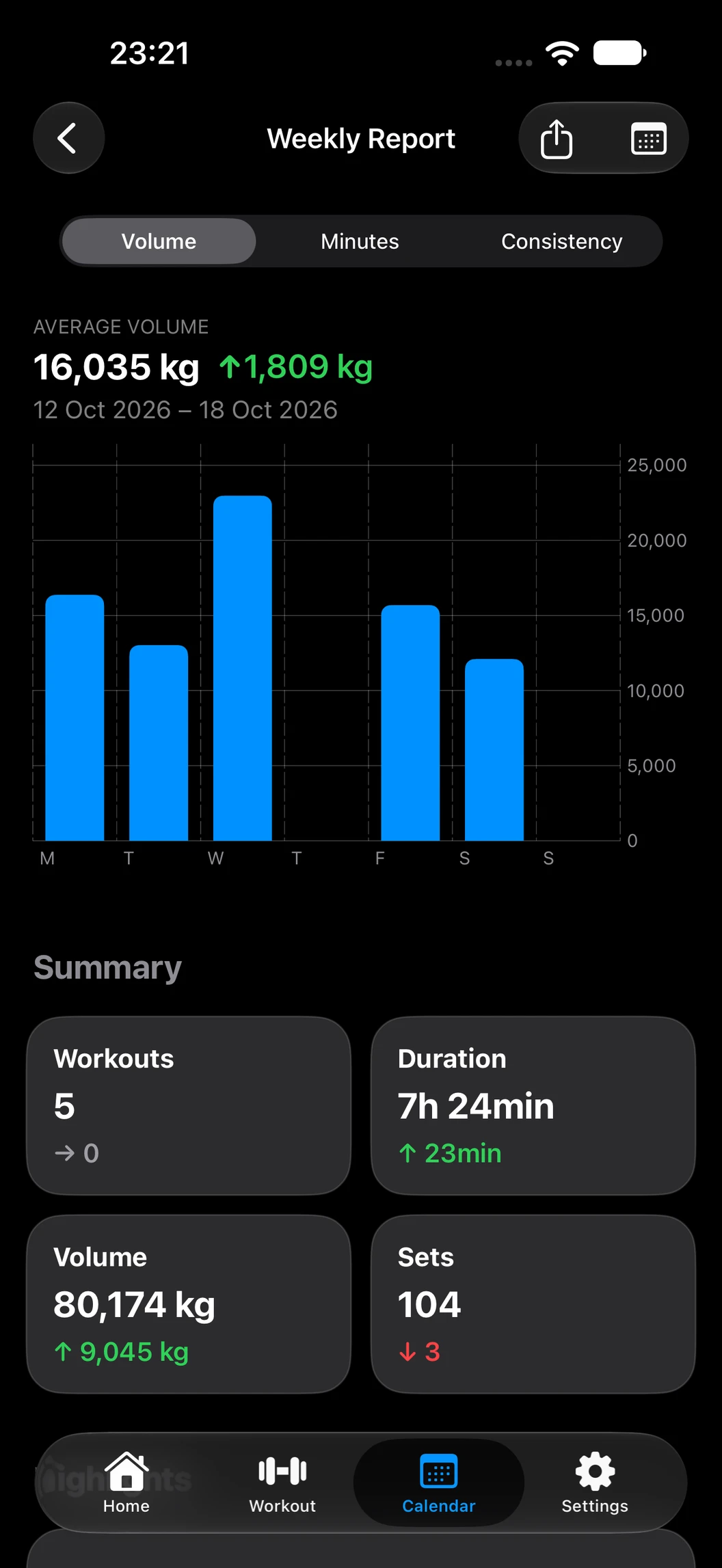
Your week, in one view.
Switch between Volume, Minutes, and Consistency to look at the same week from different angles.
Start with daily volume, then see how your training time was spread across the week.
02 / 11
See where your time went.
The Minutes view shows the duration recorded on each training day.
Move between the report’s metrics to compare the work you logged with the time you spent training.
03 / 11
Look inside a training day.
In the app, press and hold the graph, then move across the bars to inspect individual days.
The selected Friday shows its date, 15,694 kg of volume, and the workout behind it.
04 / 11
See what changed from last week.
Workouts, duration, volume, and sets sit together in the summary.
The comparisons show what increased, decreased, or stayed the same alongside the previous week.
05 / 11
See how your training is balanced.
Muscle Distribution compares the work recorded across Back, Chest, Core, Shoulders, Arms, and Legs.
The two outlines put this week beside the previous one, so shifts in your training are easier to see.
06 / 11
See the muscles behind the numbers.
Body Distribution maps the recorded work onto the front and back of the body.
Use the colour key to see how much work each area received. Here, the chest is one of the more heavily worked areas.
07 / 11
Notice the areas you haven’t worked.
The same view also shows areas with no recorded work.
The grey area beside the abs stands apart from the coloured muscles. Use those gaps to review whether your training matches your plan.
08 / 11
See how you divide your gym time.
Session Distribution breaks down the minutes and number of sessions for each workout.
In this week, Pull Day accounts for 191 minutes across two sessions. Compare that with the rest of your routine to see where your time goes.
09 / 11
See which muscles get the most sets.
Main Muscle Groups puts your recorded set counts side by side.
Here, Chest has 15 sets and Shoulders has 14. See which areas lead your week before deciding what to focus on next.
11 / 11
Choose a background that fits.
Select Light, Dark, or Transparent before saving your report card.
Keep a copy of your week or make it part of your next post.

Take the same view over a month.
Monthly reports bring these views together over a longer period. Use your calendar to move back into the sessions behind the report.
Explore your calendar →