Sharing
Share the work you put in.
Workouts, individual exercises, streaks, and reports. Choose the part of your training you want to show.
01 / 08
Share the work you put in.
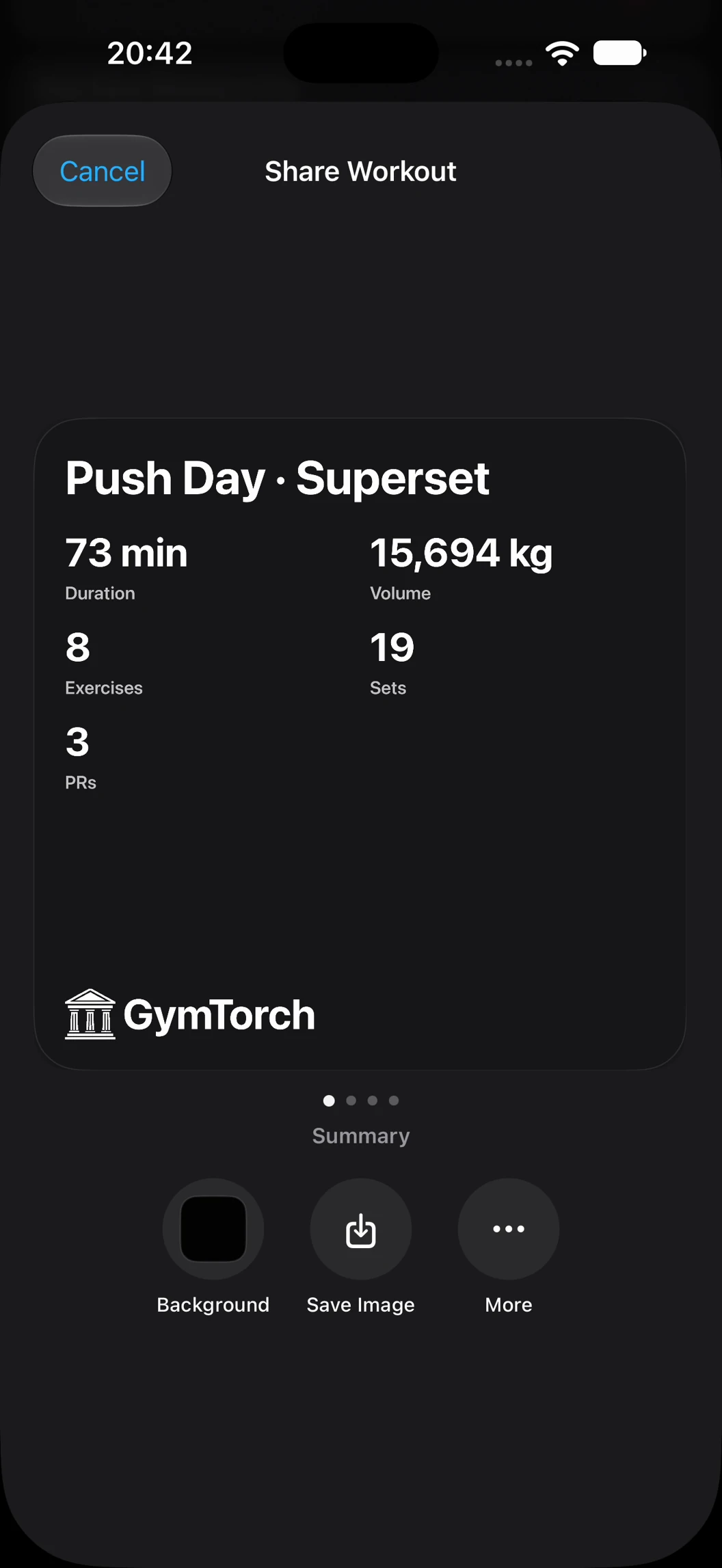
Turn a completed workout into a card with its recorded duration, volume, exercises, sets, and PRs.
Choose a presentation from the available styles, then save the image for your post or message.
Explore completed sessions →02 / 08
Give the session a different look.
Choose Summary, Exercises, Poster, or Body to present the same completed workout.
Keep scrolling to see each of the four card styles in the phone.
03 / 08
Make the muscle colour your own.
The muscle illustration has its own colour control.
Choose the colour for that part of the card before saving your image.
04 / 08
One exercise can tell its own story.
Share an individual exercise from a recorded session, including its sets, weight, reps, and RPE.
Use an exercise card when you want to focus your post or video on a particular lift.
05 / 08
Share the pattern you have built.
A streak card brings a month of recorded training into one view.
It gives you another way to look back at your consistency and share it.
Explore your training consistency →06 / 08
Choose the background before saving.
Open Background to choose from the options available for the card.
Preview the result, then use Save Image to keep a copy for sharing.
07 / 08
Share a wider view of your training.
Your week can become a Summary, Body Distribution, Muscle Distribution, or Trends card.
Keep scrolling to see all four. Explore your weekly report →
08 / 08
Set the background for your report.
Choose Light, Dark, or Transparent, then save your card.
Use a background that works with your post or keep it transparent for your own layout.